Smart Cut
It hears the video and takes out the silences — and you see every cut on the timeline before it is made.
A complete video editor for Windows, made by EditFast. No Adobe, no other programs and no other subscriptions — everything is inside it, even EditFast AI, which edits with you: it cuts the pauses and adds captions, zooms, music and sound effects.
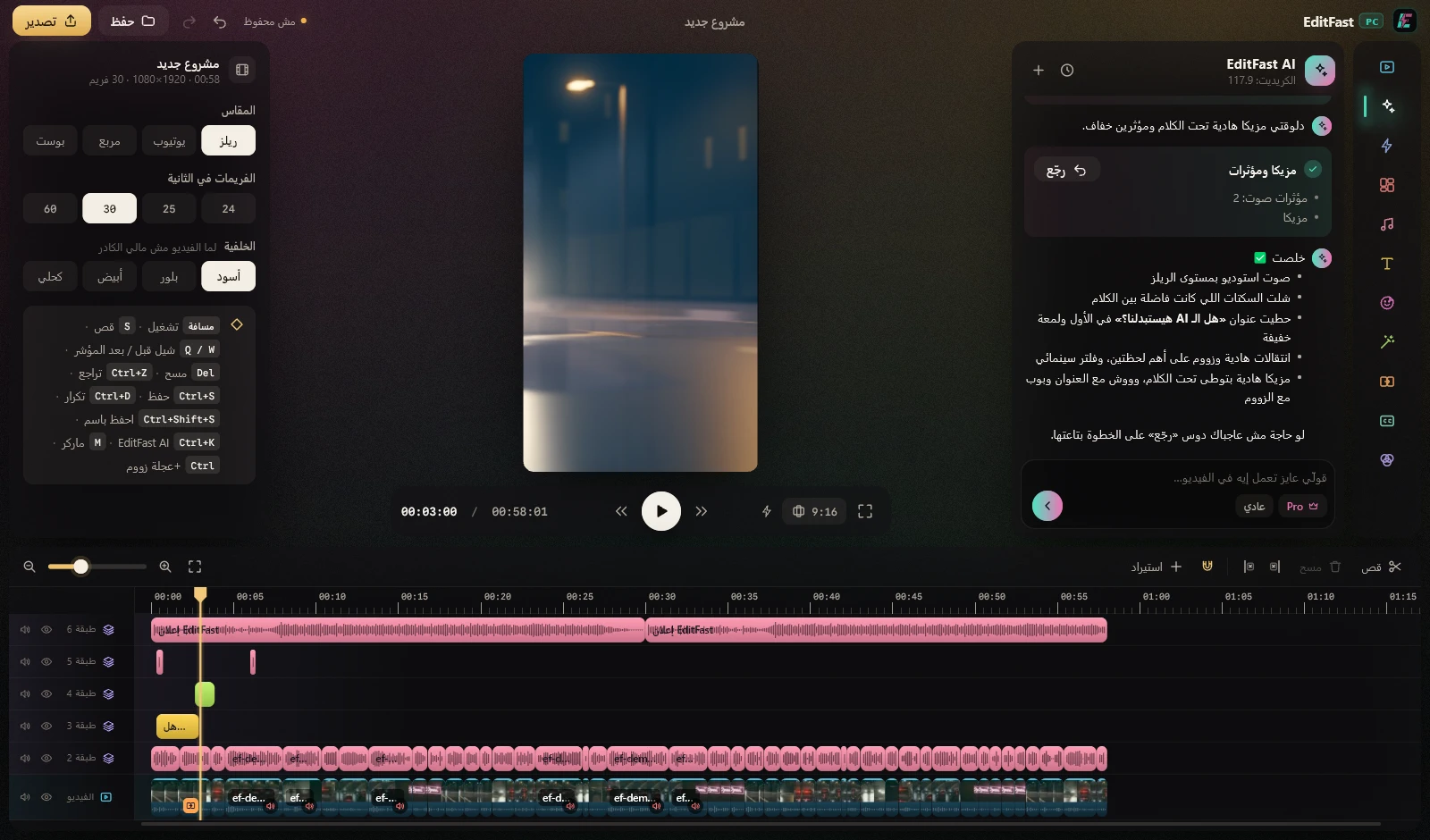
Not a drawing: these are EditFast PC’s real screens, on a Reels video. One window, in Arabic or English, every tool one click away — and you don’t need to be an editor to use it.
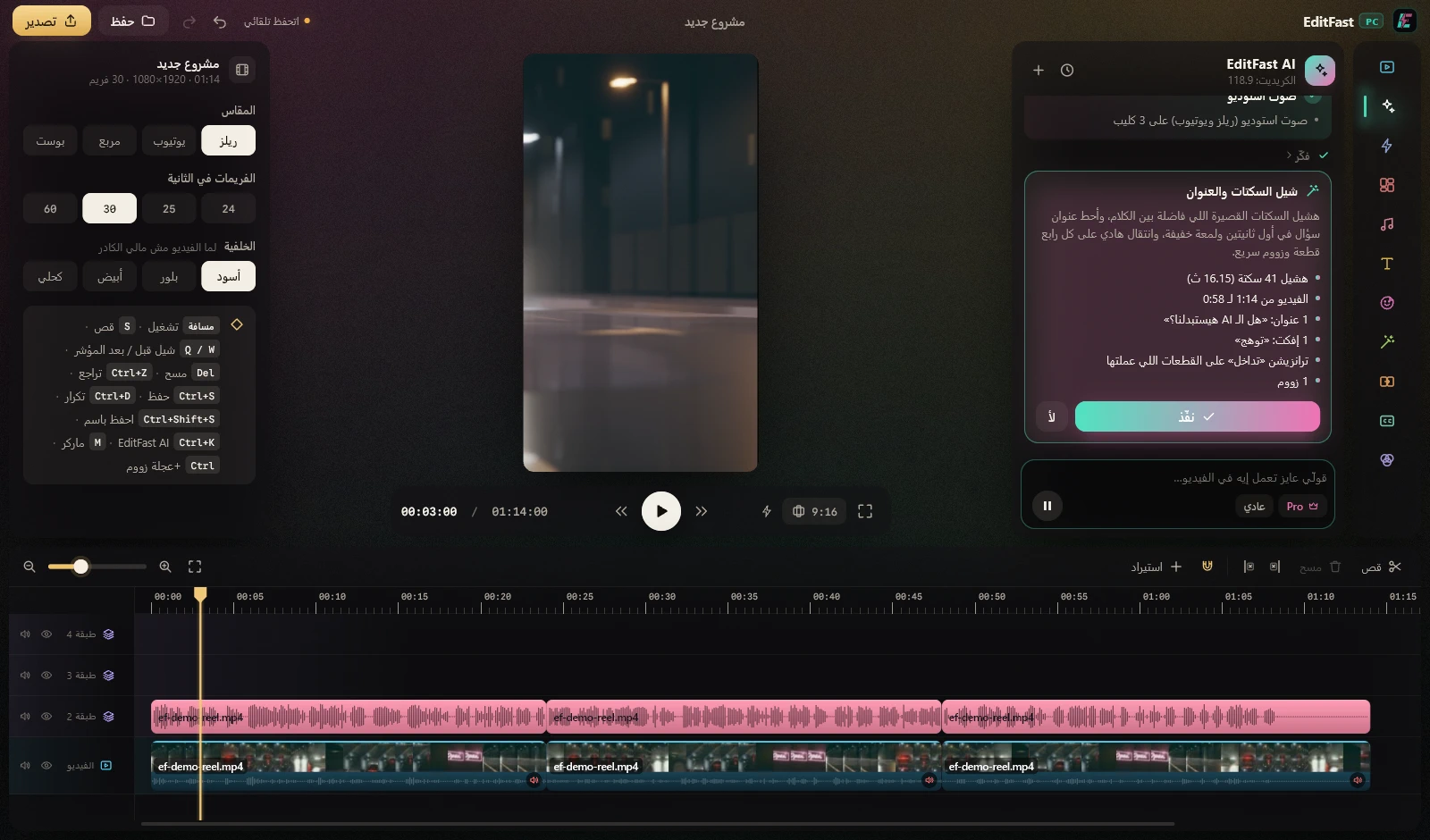
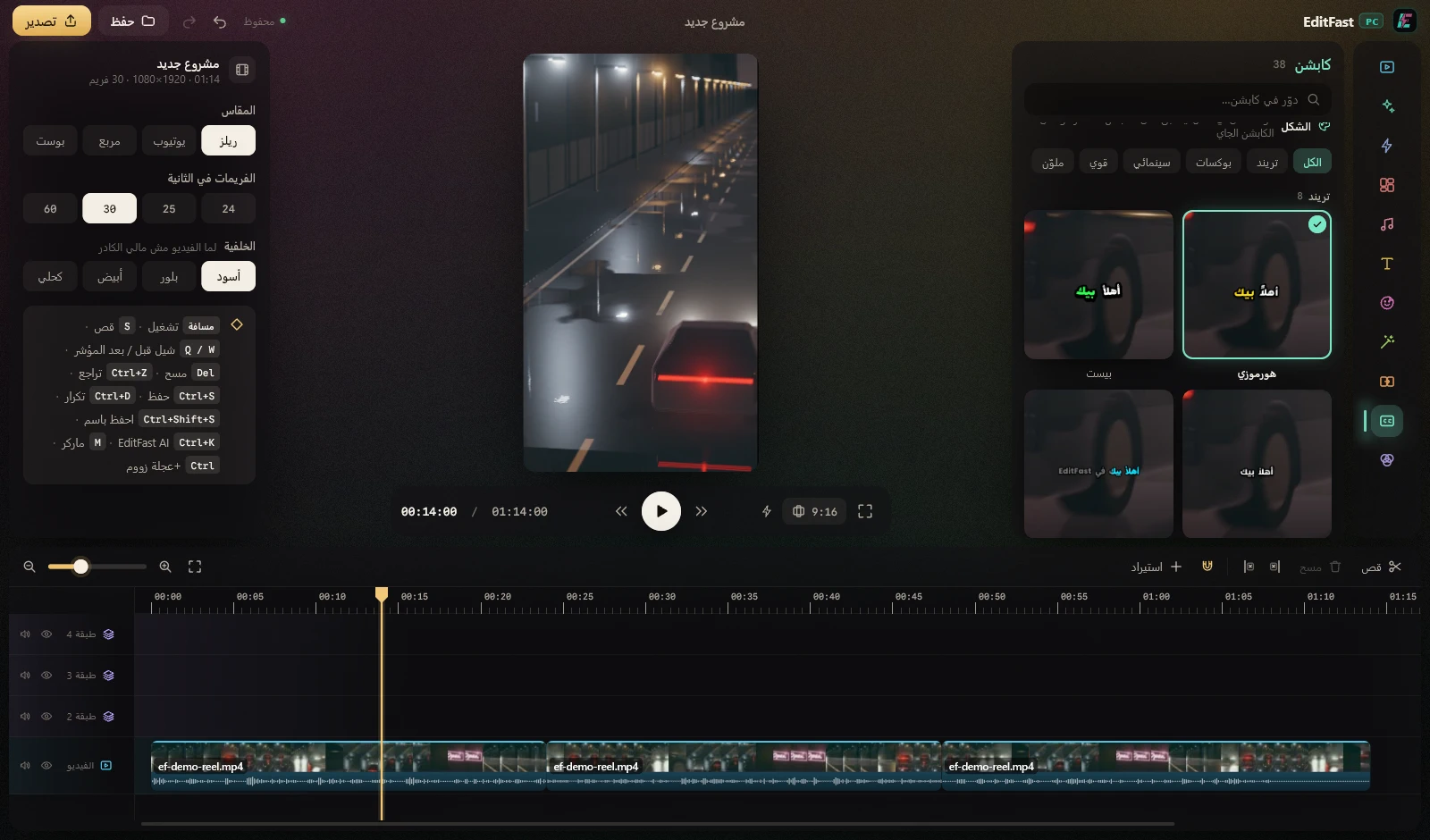
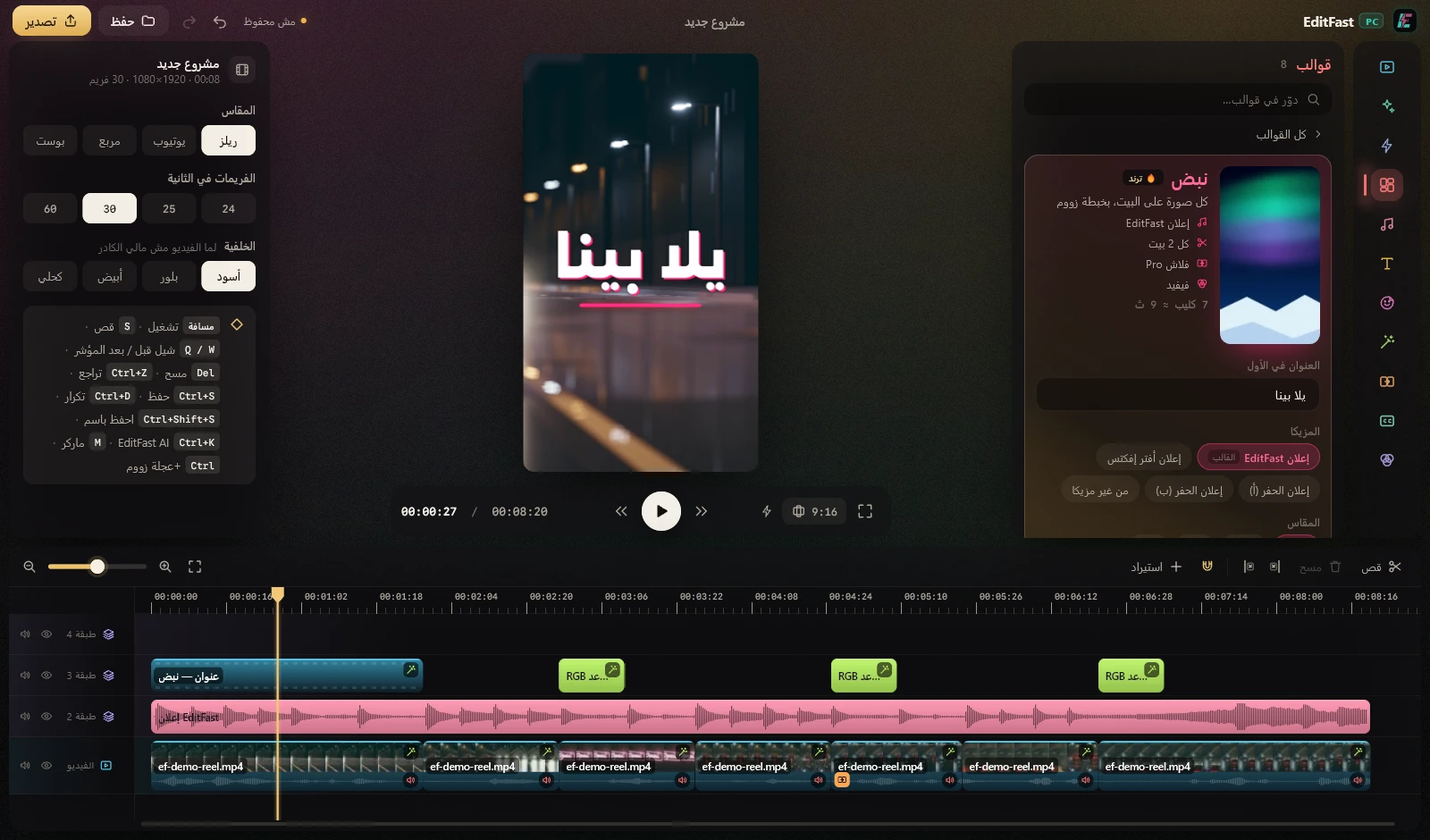
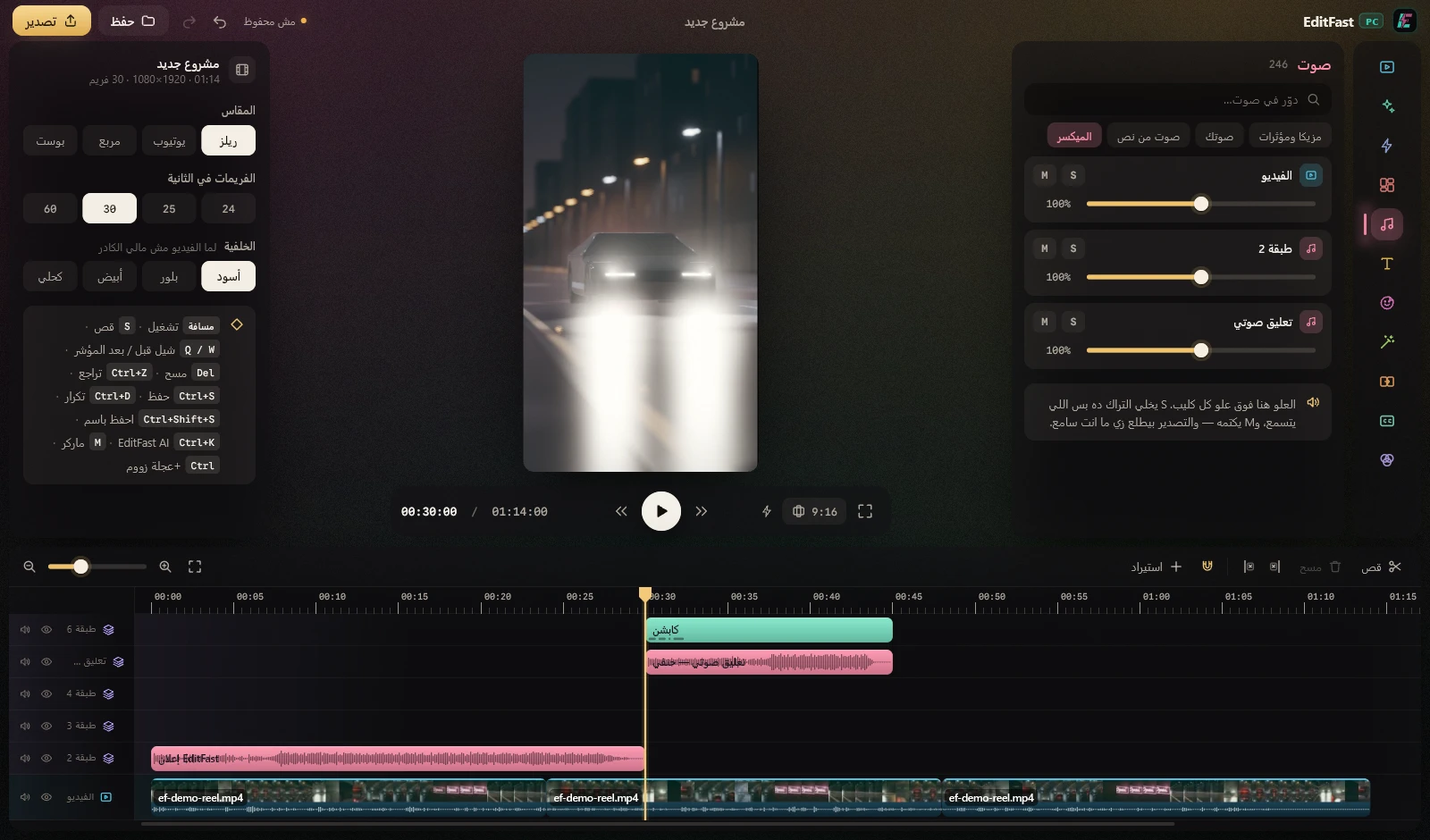
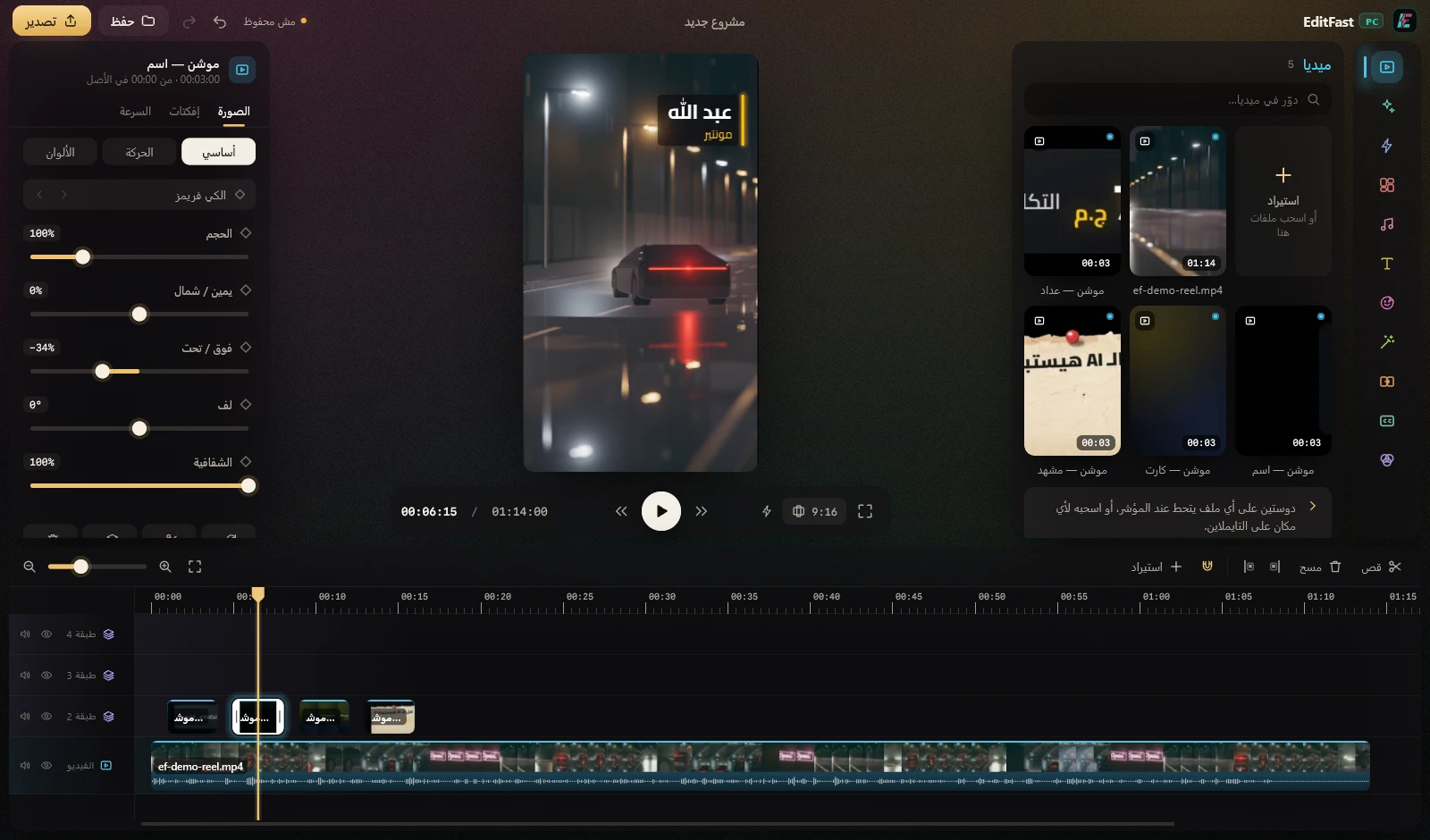
Write in Arabic or English. It reads the video and hears every word, shows you its plan first — and once you say go, it makes every change on the timeline in front of you.
Cut the pauses and the repeats
Yellow captions, and zoom on what matters
A title at the start, and calm music
Sound effects and transitions on the cuts
Each one is a single click. Most of them run on your own computer — no credits, nothing to pay per use.
It hears the video and takes out the silences — and you see every cut on the timeline before it is made.
Your words written out by themselves — in your Arabic dialect or in English, timed to every word, in 38 styles.
The room goes quiet, the voice comes through clear, at the loudness the platforms want.
EditFast AI picks the lines that matter and zooms on them — varied, never too many.
It finds the person in every frame and takes away what is behind — no chroma, no green screen.
It measures the shake of a handheld shot in seconds and takes it out.
AI draws the frames in between, so slow motion stays smooth instead of stuttering.
A small or blurry photo comes out up to four times bigger, and sharper.
Glows, film, glitch, blur, colour looks and transitions between two shots — click one, and change it however you like.
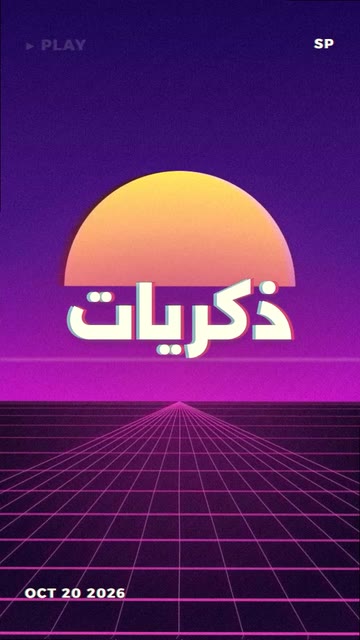
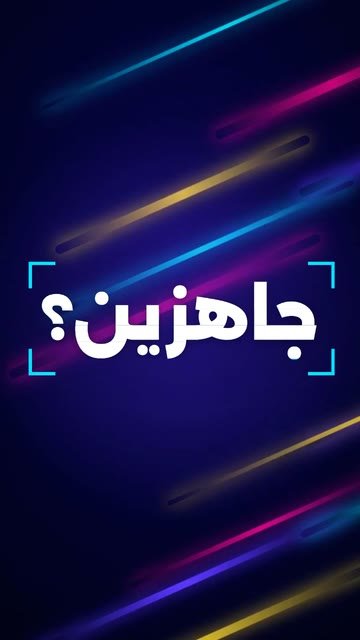
Pick a template and your files: it cuts them on the music’s beat and adds the title, the transitions and the colour. One step — and Ctrl+Z takes it back. Tap a template to hear it.






You don’t need an Adobe subscription, Premiere or any other editing program — and you don’t need to be an editor. EditFast PC is a complete editor on its own.
 EditFast PC
All of it inside one program — and EditFast AI does the work.
Reels, TikTok and YouTube — without hours on the timeline.
An ad for your product from its photos — with the Product template, or one request to EditFast AI.
A birthday, a trip, old memories — a template and one tap.
An account with your email, and 3 days free.
Windows 10 or 11. Open the file you download, and the installer does the rest.
EditFast AI edits; you change anything you like by hand.
It makes the cuts, the captions, the zooms and the music on the timeline itself. You review.
Captions, studio voice, background removal, templates and 343 effects — no plugins to buy.
The program, the captions and the transcription speak Arabic and its dialects — and English too.
On an everyday laptop it plays a light copy while you edit, and still exports at full quality — up to 4K.
Background removal, steadying, slow motion and photo upscaling run on your own computer — nothing to pay per use.
New features arrive by themselves, and your projects stay exactly as they were.
One subscription opens the whole program: EditFast AI, every tool, the templates and the effects.
By card, the monthly plan renews by itself — and you can cancel it whenever you like.
The whole program for 3 days. You start it with just your account — no payment to begin — and when the days are over the program stops until you subscribe. Nothing is charged by itself. The trial comes with 0 credits so you can try EditFast AI yourself.
Yes. Paid by card, the plan renews by itself, and you can cancel it from your account whenever you like — then it does not renew again.And there is nothing to cancel: your plan does not renew by itself — you renew it when you want to.
No. EditFast PC is a complete video editor on its own — not a plugin. You need no other program and no other subscription.
It was made for you. Type what you want in Arabic or English, or click a tool or a template. Anything you don’t like comes back with Ctrl+Z.
Windows 10 or 11 (64-bit), with a graphics card that supports DirectX 12 — that is most computers since 2016, including the Intel graphics inside laptops. A stronger card makes exports and the heavy tools faster, but an everyday laptop works: it plays a light copy while you edit, so editing stays smooth.
No — EditFast PC is for Windows.
Only EditFast AI uses credits — when you ask it something, or click a tool it does for you, like auto zoom — because every request runs a large AI model. The other tools, the templates and the effects never touch your credits. Every plan comes with free credits.
No. Your projects and videos stay on your computer. Captions send the sound only, to be written out, and nothing is kept. EditFast AI sees only the frames it asks to look at.
Yes. The program is Arabic from the ground up: captions write right to left with the letters joined, and the transcription understands the dialects.
By card, and your subscription switches on at once.
3 days free. No Adobe, no experience needed.